







Can AI Scheduling Handle Complex Rules? Absolutely. Here’s What It Needs
Practice managers with complex scheduling rules often wonder if AI scheduling can keep up. It can—here's what's...
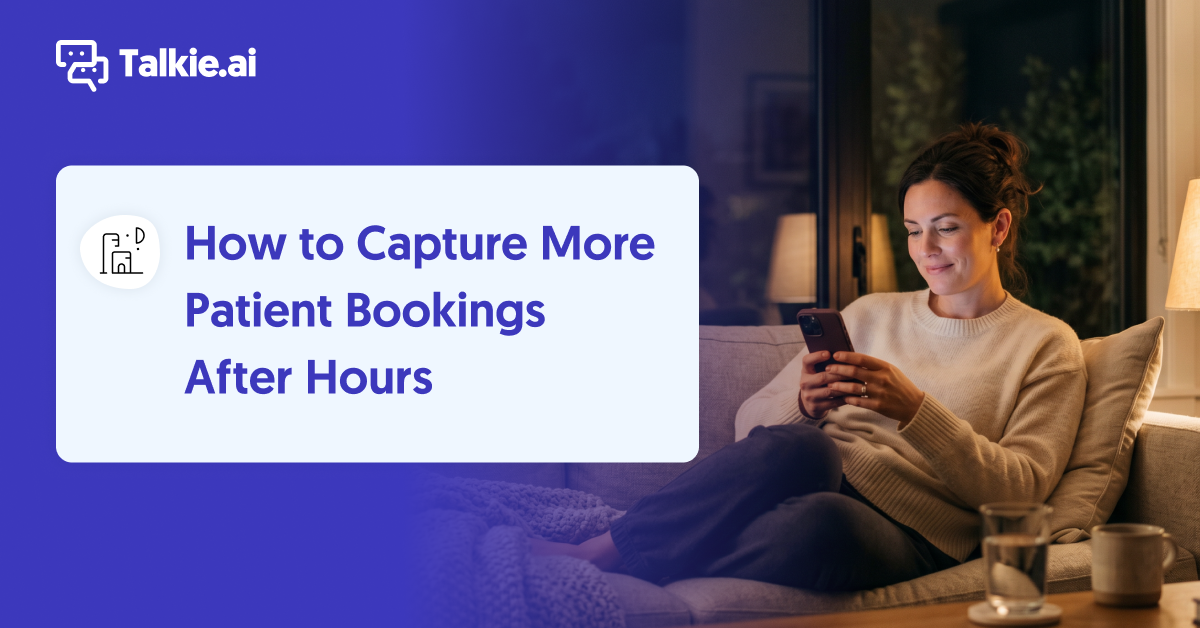
It’s 9 PM on a Tuesday. A new patient just found your practice, picked up the phone, and called. Your office closed four hours ago.
What happens next decides whether that patient becomes a chart in your EHR or a booking at the practice down the road. At most practices, it comes down to whether voicemail feels worth the trouble to the person on the other end.
That single moment, repeated across every evening, weekend, and holiday, adds up to one of the most overlooked revenue channels in a medical practice. Most practices treat after-hours coverage as a nicety. The bookings it brings in say otherwise.
The practices that cover those hours at all reach for a voicemail box or an answering service. Both beat an unanswered phone, but neither is where after-hours coverage has to stop.
So how do you capture those bookings instead of losing them? Answer every after-hours call with something that finishes the request on the spot—book or reschedule the appointment, submit the refill, answer the question—and record it in your EHR, instead of sending callers to voicemail.
For a growing number of practices, that means an AI front desk agent working around the clock.
Missed calls during business hours understandably get most of the attention. But there’s a second gap that’s easier to ignore precisely because no one is in the building to witness it: the hours when the office is dark.
Lunch breaks. After 5 PM. Sundays. The stretch between Christmas and New Year’s when the whole team is off. Patients don’t schedule their need for care around your staffing calendar. A prospective patient calls when they finally have a quiet moment after work. An established patient calls to move tomorrow’s appointment, book the physical they keep putting off, or handle a refill before the weekend.
And when they do reach out, most still use the phone. A July 2025 MGMA poll found that 71% of medical groups have fewer than one in four patients using digital tools to schedule appointments. So the portal and the online scheduler may be convenient, but most patients still reach for the phone—including long after the front desk has gone home.
An unanswered after-hours call often doesn’t turn into a next-morning callback. It can turn into a booking somewhere else.
Patients reach for whatever is easiest in the moment. As John Lynn put it on the Scaling Practice Management podcast:
Your patients are going to reach out to the most convenient solution… Healthcare right now is not convenient.
When your practice sends a 9 PM caller to voicemail, the convenient solution becomes the next practice on the search results page. The data backs up how quickly that loyalty erodes. An Accenture report cited by the American Hospital Association in 2024 found that about one in five consumers switched providers in the prior year, and nearly 90% said they did so because the organization was hard to do business with—pointing to friction like poor front-desk experiences and digital tools that fell short.
A missed after-hours call is exactly the kind of friction that sends a patient looking elsewhere—and you never see it happen. No system pings you to say a patient just booked with a competitor instead.
Beyond voicemail, the common way to cover this gap is an answering service. Voicemail just records the request and leaves it for the morning. A good medical answering service does more—live agents can book into your scheduling system and answer basic, scripted questions right on the call. For some practices, that’s enough.
But the model carries its own limits:
An AI front desk agent like Talkie clears those limits. It takes unlimited simultaneous calls with no hold time, resolves requests consistently and directly in your EHR, and does all of it without adding staff. After hours, the AI agent:
The practices already doing this have the numbers to show for it.
At Health + Glow Primary Care and Med Spa in Tampa, the AI front desk agent “Sophie” handles the practice’s calls inside athenahealth around the clock. By month two, Sophie had created nearly 200 patient cases—and over a third of them came in outside business hours.
Those cases are where the after-hours bookings come from: an appointment gets booked, a visit rescheduled, or a new patient charted only because the call got answered in the first place.
CEO Jimmy Kallikadan’s takeaway:
Over one third of those patient cases which were created were created during off hours. That is really valuable to us because we would have missed out on all those patients.
There was a cost win, too. Once the AI was handling nights and weekends end to end, Health + Glow dropped the answering service that’s been weighing down their budget:
Now that Sophie is able to take those after-hour calls, we were able to let go of our answering service… we were able to also save some money because of Talkie.
So the after-hours gap isn’t just a revenue opportunity. For practices already paying an answering service to cover those hours, closing the gap with an AI agent can also be a line item you cut.
After-hours coverage matters most when the staffing gap is widest. A mid-sized primary care clinic in Texas left its Talkie agent running between December 24 and January 4, while the entire team was off for their Holiday break.
In that window, the AI handled 246 after-hours requests, created 149 patient cases in the EHR, and scheduled or rescheduled 32 appointments. Staff came back in January to organized data instead of a voicemail backlog.
There’s a clinical reason to fix this too, not just a financial one.
Most practices have lived some version of this: a patient calls after hours, hits an IVR menu, and presses “1 for emergencies” just to reach a human—even though they only want to reschedule. At Urology Group of Southern California, a multi-location practice using Talkie, that pattern was a persistent problem. Chief of Operations Jim Roth says:
Our practice was going to a recording that said, ‘if you have an emergency and need to speak to the doctor on call, please press 1.’ And what was happening was, the doctors on call were getting messages to call back, and they would call back and the patient would say, ‘ah, I want to rebook my appointment,’ or ‘what time is my appointment?’ and these were things that were definitely not emergencies, but the patients were using the emergency service in order to get the information at a time that was convenient for them. And it would unfortunately tie up our providers who really felt a little bit abused by having to play receptionist when they were on call.
With Zoe (the practice’s AI agent,) intercepting those calls, routine requests get handled on the spot and only true emergencies reach the provider. On-call doctors get interrupted less, and when a call does break through, they know it actually matters. Patients still reach a human when it’s a real emergency—the routing just stops treating “when’s my appointment?” like a crisis.
If covering every hour with an AI agent feels like a big leap, it doesn’t have to be the first step. Many practices begin exactly here—using the AI as an after-hours backup—and expand once they see what it captures. As Ada Andruszkiewicz, Co-founder and COO at Talkie.ai, puts it:
Many clinics choose to start small—using the AI agent as a backup or for after-hours calls.

It’s a low-risk way to test the idea against the part of your day that’s currently going to voicemail anyway. Even a limited test recovers bookings you’d otherwise lose, and the payoff compounds every night.
Curious what after-hours bookings capture could look like at your practice?
How is an AI agent different from a live answering service after hours?
Both can book appointments on the call. The main difference is capacity: a live answering service has a limited pool of agents, so when several patients call at once, some wait on hold or the overflow carries over to your team the next day. An AI agent takes unlimited simultaneous calls with no hold and handles the requests it’s set up for—scheduling, rescheduling, refills, and questions—directly in your EHR.
What happens to non-emergency calls after hours?
The AI resolves what it can—scheduling, FAQs, appointment questions, refill requests—and logs anything that needs follow-up as a structured case in your EHR, so your team starts the morning with a prioritized list instead of a voicemail backlog.
Do emergencies still reach a provider?
Yes. When a caller describes an urgent situation, the AI follows your practice’s protocol to notify the on-call provider. You define the rules, including different on-call coverage for weekdays, weekends, and holidays.
Can we see how much demand we’re capturing after hours?
Reporting gives you visibility into after-hours call volume and what the calls were for—new patient bookings, reschedules, refills, and more—so you can see exactly how much patient demand was slipping away outside business hours.
Practice managers with complex scheduling rules often wonder if AI scheduling can keep up. It can—here's what's...
Looking to add an AI assistant to your medical practice? This buyer’s guide outlines key questions to ask vendors before making a...