








Stop Missing New Patients: Create Patient Charts Instantly with AI Agents
When a new patient calls your practice, they can’t book an appointment until they have a patient chart. Creating it can often take as long as 20-45 minutes, leading to delays, frustration, and potential lost revenue.
After all, if a call isn’t answered or an appointment can’t be scheduled quickly and conveniently, a new patient might just give up and call another practice.
Talkie.ai solves this problem by automating the chart creation. Our AI agents collect the information that’s absolutely necessary and generate the patient chart in real-time, allowing your new patients to book visits first, and deal with additional formalities later.

How does it work?
The patient calls the practice and is recognized as a new patient.
They can either say it at the beginning of the conversation or when the AI agent asks them whether they’re a new or existing patient. It also gets verified via your EHR.
The AI agent collects information about the patient.
The specific information that is collected depends on your EHR’s requirements and on your practices’ workflows. Some of the information that’s usually collected include the patient’s full name, date of birth, address, and phone number.
The AI agent creates a new patient chart directly in the EHR.
The patient chart doesn’t need to be full at the beginning. Your team can still add additional necessary information to the chart later, but the initial interaction is taken care of by the AI, allowing your front desk to reclaim a big chunk of their time.
The AI agent schedules the patient’s first appointment.
The AI agent can schedule the patient’s first appointment immediately and assign it to the patient chart. The AI also chooses the appropriate appointment type dedicated for new patients.
The front desk team gets notified that a new patient chart has been created.
The AI agent lets the team know either through patient case/message thread in your EHR or via email—depending on your preference.
The Benefits of Automating Patient Chart Creation with Talkie.ai
-

Faster patient onboarding
Cut chart creation time to just a few minutes by quickly gathering essential info. The rest can be completed later, allowing the patient to schedule without delay.
-

Seamless appointment scheduling
Once the chart is created, visits can be scheduled immediately.
-

No more lost opportunities
Make sure patients don’t turn to other practices due to unanswered calls or long wait times.
-

Enhanced efficiency
Automate the collection of crucial patient information, reducing administrative workload.
-
Improved patient experience
Offer a more convenient onboarding process for new patients, making a positive impression from the first call.
-
Real-time EHR integration
Talkie.ai integrates directly with your EHR system, ensuring all patient data is accurately logged.
Listen to an AI Agent Set Up
a New Patient Chart
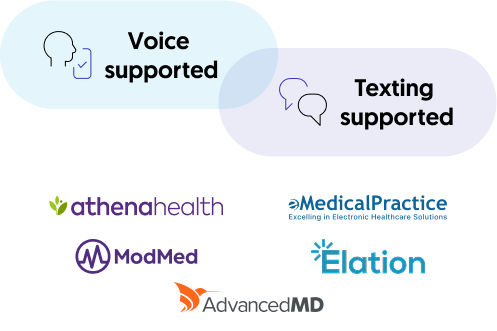
Creating Patient Charts
Create charts for new patients immediately when they first call your practice, allowing them to schedule appointments without multiple back-and-forth conversations with your busy front desk team.
FAQ
-
How quickly can Talkie schedule an appointment for a new patient once their chart is created?
Our AI agent can schedule an appointment during the very first conversation with the new patient. That’s because the patient chart is created immediately when the new patient says they’re new and provides all of the necessary information, like their name, date of birth, callback number, etc. The front desk calls the patient back later to fill out the chart with additional information they need, but that doesn’t block the patient from scheduling an appointment.
-
Does Talkie gather all of the information in the patient chart?
No. The AI gathers all of the information necessary to create the chart, set up the patient ID, and schedule an appointment that follows the workflow of your EHR. Additional information can be supplemented later, when it’s convenient.
-
Can I customize what data is gathered during the patient chart creation process to match my practice’s specific needs?
Yes. The questions Talkie asks to create the patient chart depend on the needs of your EHR and can be customized to fit your practice.
-
Is Talkie a secure solution?
Yes. We adhere to HIPAA guidelines by encrypting sensitive information, restricting access strictly to authorized personnel, and maintaining comprehensive audit logs. Additionally, we hold SOC 2 Type II certification to ensure compliance with rigorous security standards.